 Nightly Profit
For Airbnb & Vrbo hosts with 1–10 listings
Know what your rentals actually earn.
The Rental Host Ops & Profit Kit is one workbook for Excel and Google Sheets that turns your bookings, platform fees and expenses into a monthly P&L per property, plus turnover, maintenance and guest-message templates to run the day-to-day.
One-time purchase · Instant download · 14-day refund · No macros, no subscription
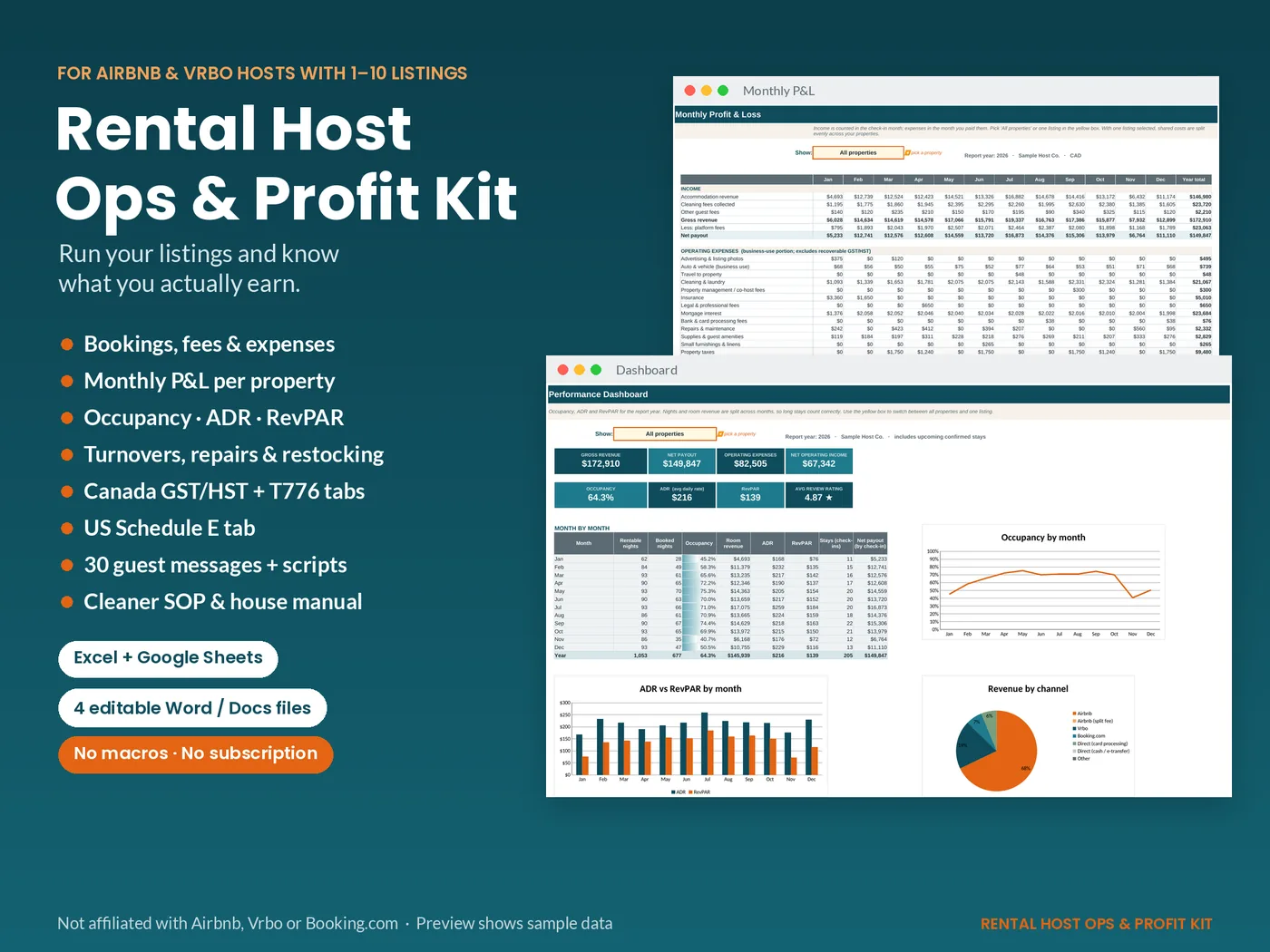
Payouts aren't profit.
Running a few listings means running a small hospitality business, often from payout reports, bank statements, group chats and sticky notes. This kit puts the money side and the operations side in one place.
Without a system
- Platform fees, cleaning costs and supplies are scattered across apps and statements.
- You see deposits, but not the real profit of each property.
- Occupancy, ADR and RevPAR are guesses.
- Tax time means digging through a year of receipts.
- Turnovers and restocking live in your head.
With the kit
- Log each stay and expense once, in categories that line up with IRS Schedule E and CRA Form T776.
- Get a month-by-month P&L for all properties or any single listing.
- See occupancy, ADR and RevPAR calculated correctly, including long stays and owner blocks.
- Hand your preparer organized Canada or US tax summaries.
- Plan turnovers, maintenance and restocks from the same workbook.
What's inside
A polished workbook plus four editable host documents. It comes loaded with clearly labelled sample data so every chart works the moment you open it, and a blank copy for your own numbers.
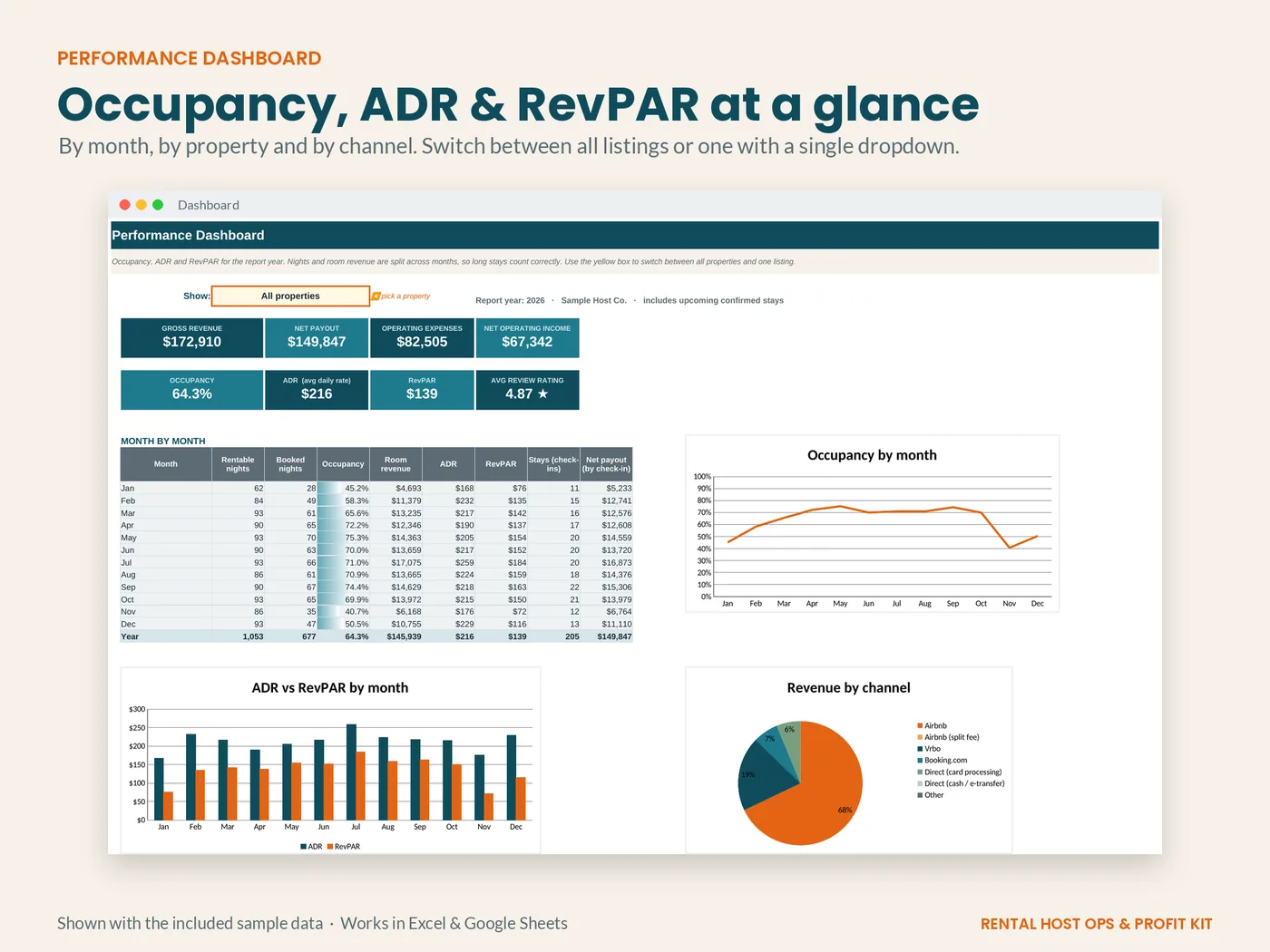
Occupancy, ADR & RevPAR at a glance
- KPI tiles, a month-by-month table and charts for occupancy, ADR vs RevPAR and revenue by channel.
- Long stays are split across months; owner blocks and part-year listings are accounted for.
- One dropdown switches between all properties and any single listing.
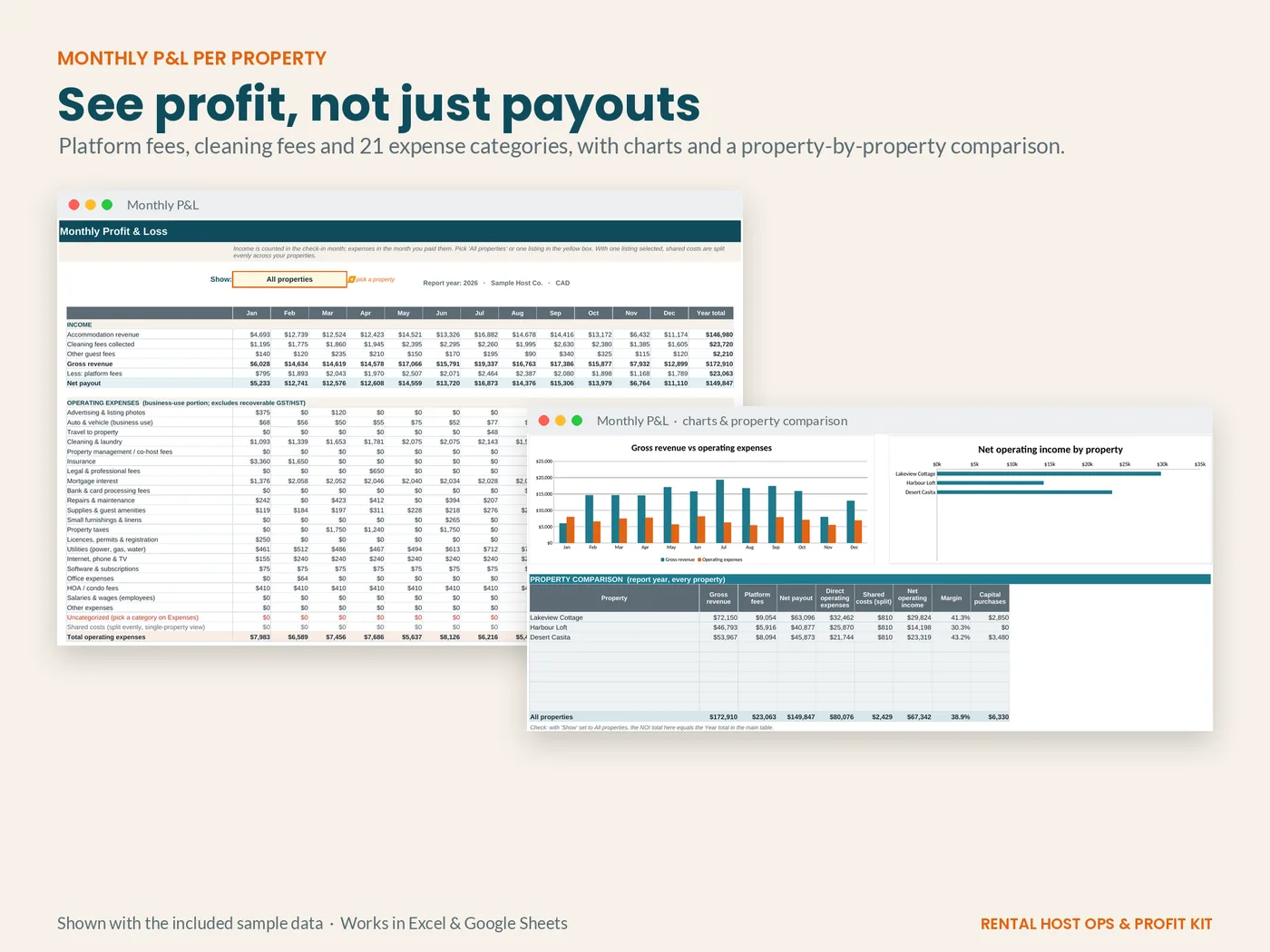
See profit, not just payouts
- Platform fees, cleaning fees and 22 expense categories roll into a monthly P&L per property.
- Editable default fee % per channel (Airbnb, Vrbo, Booking.com, direct), or enter the exact fee from your payout report.
- Shared costs like software or accounting can be logged once and split evenly across properties.
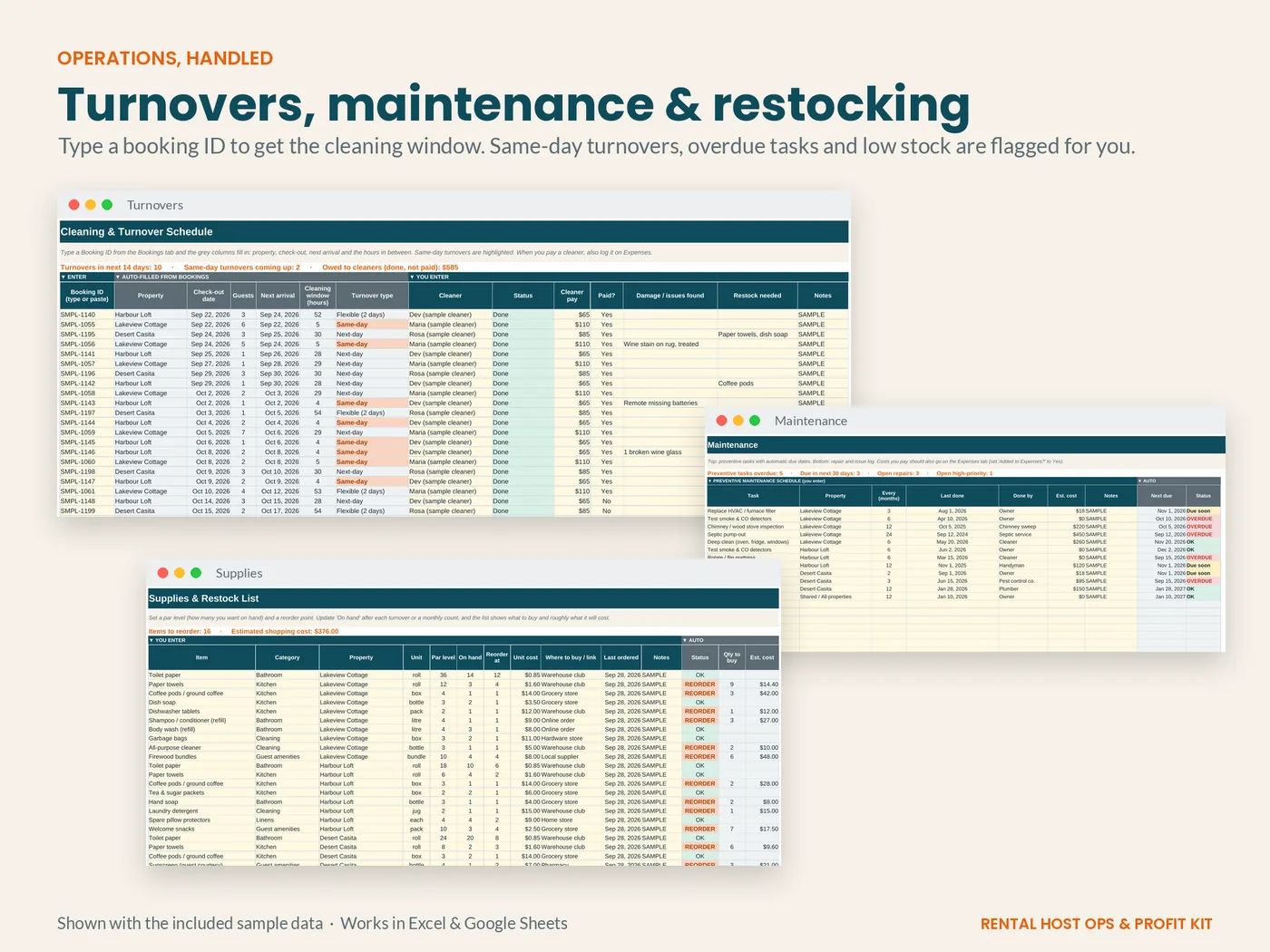
Turnovers, maintenance & restocking
- Enter a booking ID to see check-out, next arrival, the cleaning window in hours and a same-day flag.
- Track what you owe cleaners.
- Preventive-maintenance due dates, days-open tracking for repairs, and a restock list based on par levels.
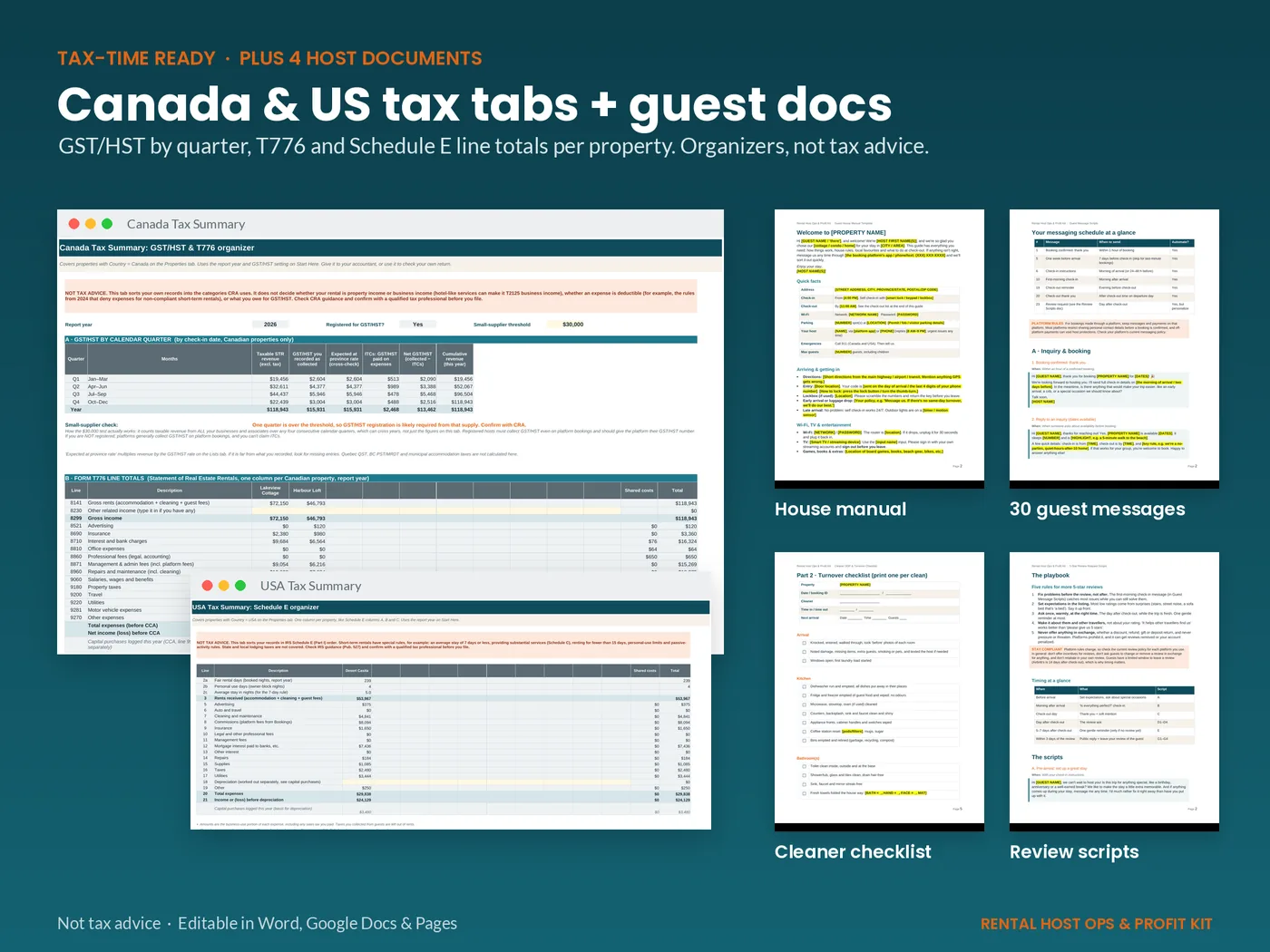
Canada & US tax tabs + guest documents
- Canada: T776 line totals, GST/HST collected vs ITCs by quarter, and a $30,000 small-supplier monitor.
- US: Schedule E line totals with fair-rental and personal-use days.
- Organizers for you or your preparer. Not tax advice.
The full file list
Workbook (.xlsx)
Start Here · Properties · Bookings & Income · Expenses · Monthly P&L · Dashboard · Turnovers · Maintenance · Supplies · Canada Tax Summary · USA Tax Summary. Sample-data and blank versions.
Guest House Manual
Editable template (.docx + PDF).
30 Guest Message Scripts
Inquiry to post-stay, with a send schedule (.docx + PDF).
Cleaner SOP & Checklist
Standard procedure plus a printable turnover checklist (.docx + PDF).
Review Request Scripts
Request and reply scripts written to respect platform review rules (.docx + PDF).
Read Me First
A quick-start guide to get set up.
- Excel 2019 / 2021 / 365
- Google Sheets
- Docs open in Word, Google Docs or Pages
- No macros or add-ons
Who it's for
Built for independent hosts who want a clear back office without another monthly subscription.
A good fit if you…
- Host 1–10 short-term rental listings on Airbnb, Vrbo, Booking.com or direct.
- Self-manage or co-host and handle your own numbers.
- Are comfortable copying figures from payout reports into a spreadsheet.
- File in Canada or the US and want organized year-end totals.
Probably not for you if you…
- Need automatic syncing with booking platforms or a channel manager.
- Manage dozens of units and need a full property management system.
- Are looking for tax filing or tax advice.
Rental Host Ops & Profit Kit
- Workbook for Excel & Google Sheets (sample + blank)
- 4 editable host documents (.docx + PDF)
- Read Me First quick-start guide
- Instant download after checkout
- 14-day refund if it doesn't work for you
Secure checkout by Gumroad. Gumroad may show the price in your local currency and add sales tax or VAT where required. See our refund policy.
Frequently asked questions
Does it work in Google Sheets?
Yes. Upload the .xlsx to Google Drive, open it, and choose File › Save as Google Sheets. Every formula and dropdown uses functions Google Sheets supports.
Which version of Excel do I need?
Excel 2019, 2021 or Microsoft 365. Older versions (2016 and earlier) can open the file, but the turnover “next arrival” column uses MINIFS, which they don't support.
Will it work on a Mac or iPad?
Excel for Mac and Google Sheets work fully. Apple Numbers can open the file, but some features (charts, dropdowns) may not convert perfectly, so Excel or Google Sheets is recommended.
How many properties can I track?
Up to 10 listings, with 1,000 booking rows and 1,000 expense rows ready to use. You can add more rows.
Does it connect to Airbnb or Vrbo automatically?
No. You copy figures from your payout or earnings reports (or a CSV export) into the Bookings tab. That keeps it private, free of subscriptions and in your control. It isn't affiliated with any booking platform.
I'm in Canada. What does the Canada tab do?
It totals your Canadian properties into Form T776 lines, summarizes GST/HST you collected against the GST/HST you paid on expenses (ITCs) by quarter, and flags when your revenue passes the $30,000 small-supplier threshold. It's an organizer, not tax advice. Always confirm with a tax professional.
I'm in the US. Is this a tax return?
No. The USA tab totals your figures by Schedule E line for you or your preparer, including fair-rental and personal-use days. Short-term rentals have special rules, so confirm treatment with a professional.
Can I use it if I have properties in both Canada and the US?
Yes. Each property has a country, and each tax tab only includes its own properties. Use one currency per workbook (or keep a copy per currency).
Can I change the categories or fee rates?
Yes. The Lists tab holds the platform fee defaults, expense categories, tax-line mapping and provincial GST/HST rates, and all of them are editable.
Is the sample data real?
No. The three properties and all bookings, costs and guests are made up for demonstration. Every sample row is labelled SAMPLE.
What's the license?
Personal/business use for your own listings (including listings you co-host). Please don't resell or share the files.
What if it isn't right for me?
You can ask for a full refund within 14 days of purchase. See the refund policy for how.
How do I pay and get the files?
Checkout is handled by Gumroad, which processes the payment and emails you a receipt with the download link. You get the files right after purchase.
Free host profit checklist: coming soon
We're putting together a short, free checklist for reviewing your rental's numbers each month. Sign-ups open soon.